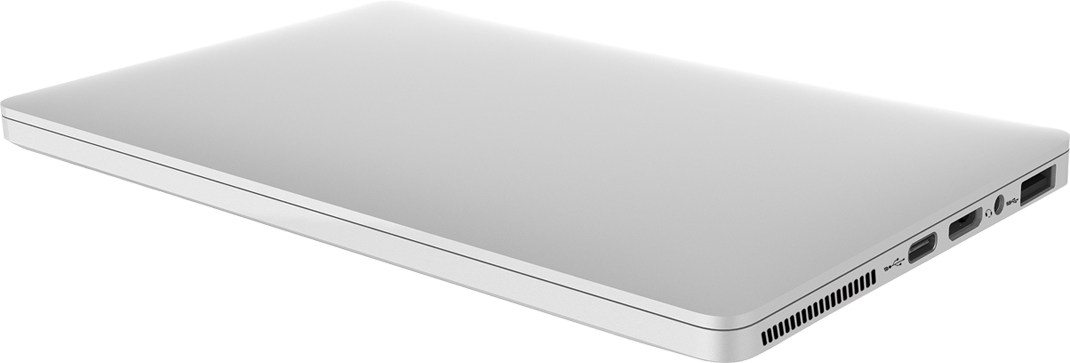

I have just acquired a GPD Pocket version 1. This tiny 7" laptop is about seven years old and runs on an intel Atom cpu with 8gb of ram. Installed on its 128gb of storage is Windows 10.
As you can imagine, it is not the fastest thing around so my plan is, after windows has finished its seven years of updates, is to try using linux on it starting with ubuntu (the default according to GPDs website). If all goes well I am hoping to install some form of Arch (BTW).
Before I do any of that I think a quick review of the device with 2025 eyes.
Model : GPD Pocket
CPU : Atom™ x7-Z8750
RAM 8Gb
Storage : 128Gb eMMC
Default OS : Windows 10 Home Single Language
Installed OS : Arch Linux
I am very impressed with the build of this machine. Built of aluminium it is very remenicent of an Apple Macbook, the build is solid. The keyboard has no flex and the hinge is firm, allowing no wobble of the screen when open.
The screen is a hires 1980x1200 touch panel that is VERY glossy and almost impossible to use in direct sunlight outputting at only 100 nits.
It is not all sunshine and rainbows though. The I/O is limited to a single USB A and a USB C that doubles as a charging and data port. There is also a micro HDMI port and a 3.5mm audio jack. All this is on the right side of the device along with an exhaust port with nothing on the left side.
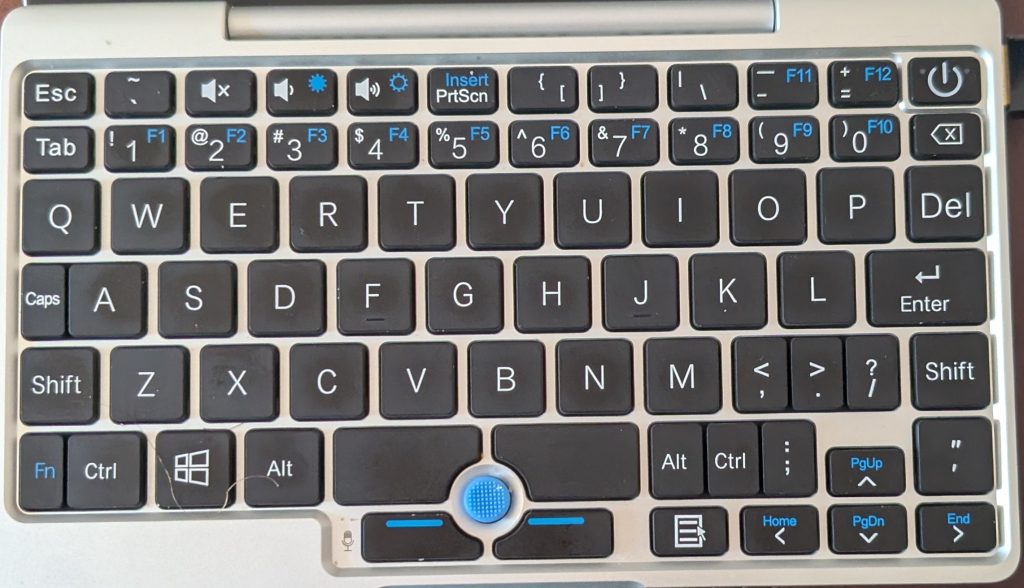
Opening the clam shell you are presented with a oddly layed out keyboard, although this can be forgiven given its size. There is no trackpad, rather there is a Thinkpad style nub that bificates the space bar. Although it is not as responsive as a trackpad i quickly got used to using the nub.
The keyboard took a while to get used to due to some oddly placed keys. Personally I would have dumped the capslock key to stretch out the middle row. As is hitting WASD feels very odd, not that this pc is much use for gaming.
I am not sure if the version of Windows that was installed was borked or else a driver was missing but WIFI did not work without a USB dongle. I used one by TP Link and everything worked fine.
Updates were slow to download and install leading to long periods of down time.
I have since then installed Linux. Ubuntu worked out of the box including wifi. I finally installed Arch which did not go as smoothly. On boot the screen was rotated to portrait. This was easy to fix in Gnome but not so easy in Hyprland my window manager of choice.
This would usually be a simple fix, typing 'xrandr -o right' into the terminal. The problem is that Hyprland uses wayland not xorg and I do not know the equivalent command. A little more time with google is required.
In conclusion, while being a little slow (especially under windows) the mini laptop is way better than the Raspberry PI solution that I had been considering. The pocketability of the unit makes it a winner for me. Being able to be used as a portable KVM to SSH into servers is a joy. On the whole I am very happy with the £75 I spent.
This laptop is only version 1 and they are currently upto revision 4. It would be interesting to see what could be done with the newer models.
EDIT 20-8-2025
I have found a solution to my screen rotation issue. The problem lay within Hyprland itself and not Wayland. The following command inserted into the config file solved the problem :
hyprctl keyword monitor,preferred,auto,1,transform,3