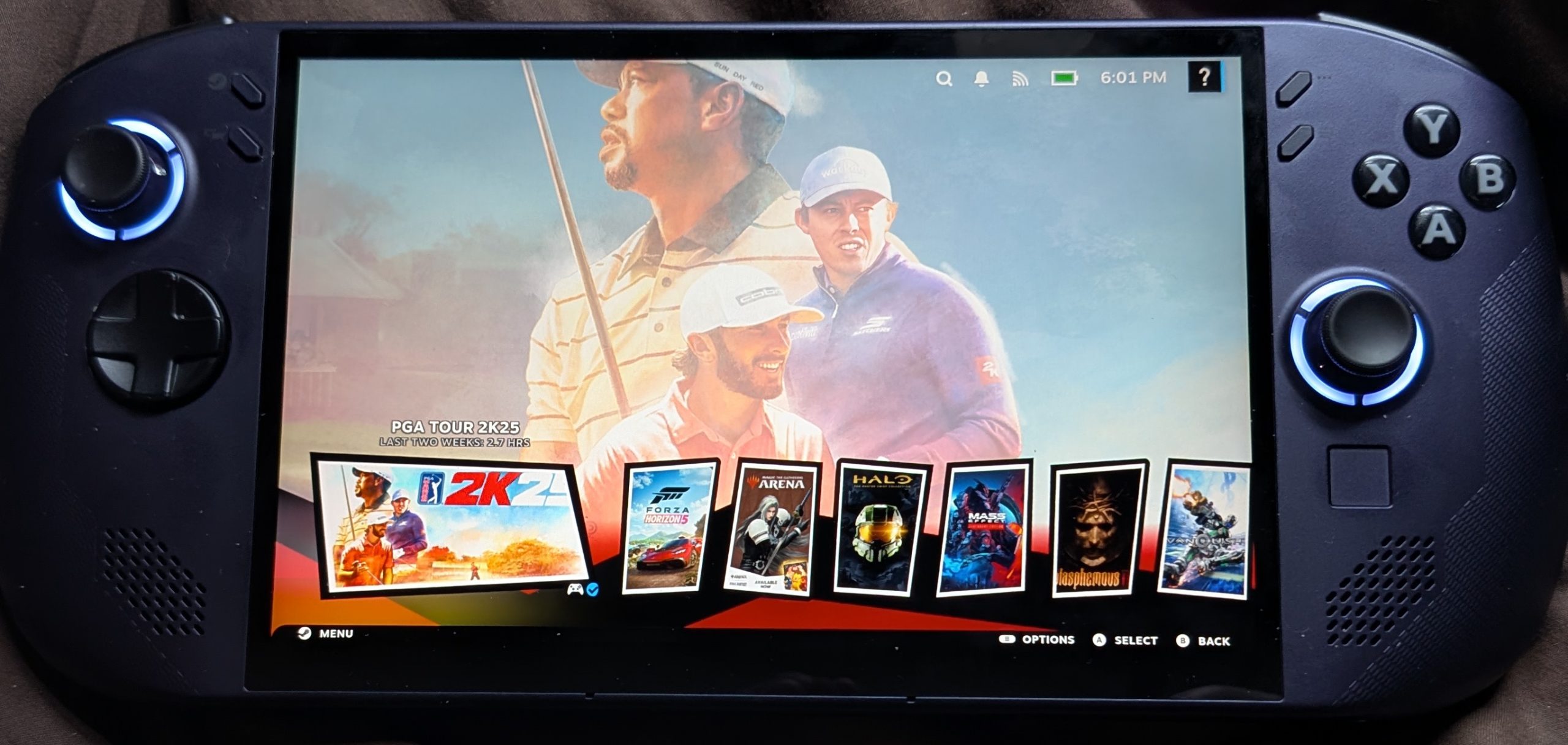

Lenovo Legion GO S (Steam)
I will begin with what I like about this console.
While not been an OLED screen the 8 inch IPS panel is excellent. Outputting 500 nits it is vibrant and punchy.
While not being over heavy it is not lightweight but due to the design of the hand grips I find it is comfortable for extended use.
SteamOS is fast and easy to use, which is good since no instructions were provided. All that was needed was for me to set my timezone, select my WIFI access point and log into steam using the onscreen QR code.
So far the Z2GO CPU has been able to play every game that I have thrown at it with little to no tweaking necessary.
The main downside to the device is that the included 55 Wh battery that only lasts for around 90 minutes when playing high performance games. Depending on the game the cooling fan ramps up to keep the device cool and produces a noticeable rushing air sound.
Just below the right thumbstick is a tiny mouse trackpad which I find to be useless and so never use. I feel that they should have used a bigger pad like on the steamdeck or not added it in the first place.
To my untrained eye the device runs somewhere between 15-30 FPS faster than the Steam deck depending on the game. There is a Z1 Extreme version that is a lot faster but is almost £300 more expensive.
Tested Games
All played in performance mode with game default settings unless otherwise stated.
Space Marine 2 - 58-60 FPS
Forza 5 - 60 FPS (locked)
2K25 PGA Golf 21 FPS (what are they doing?!?)
Blasphemous 2 - 60 FPS (locked)
Hogwarts Legacy - 45-58 FPS
Stray - 37-43 FPS
Halo CE Anniversary - 60 FPS (locked)
Octopath Traveler - 30 FPS
Uncharted - 35-45 FPS
Tomb Raider - 48-58 FPS (Low Performance)
It would seem that (in my opinion) games created in the Unity and Unreal engines are not optimised for Steam.